
Step-by-Step Instructions
1. Open Your Profile Settings
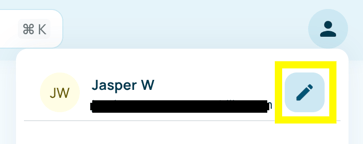
- Click on your profile icon in the top-right corner of the screen
- Select the pencil icon
2. Locate the Language Setting
- In your profile settings, scroll to the section labelled Preferred language
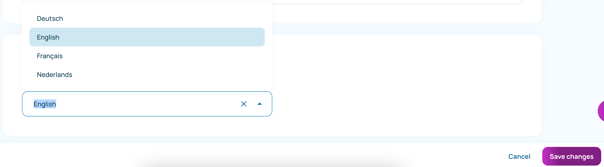
- You will see a dropdown field showing the current language (e.g., English)
3. Select a New Language
- Click the dropdown arrow next to the language field
- Choose your desired language from the list (German, French, Dutch or English)
4. Save Your Changes
- Click the Save changes button in the bottom-right corner
- Your interface will update to the selected language