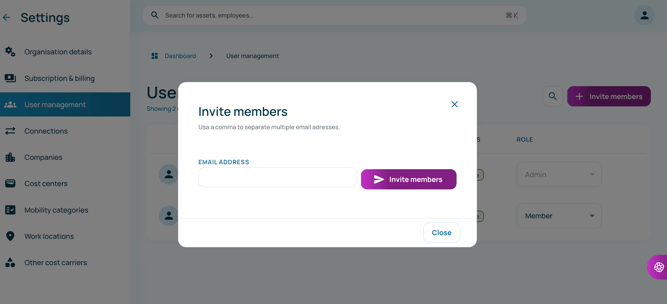
Follow the steps below to invite a new member to your workspace:
- In the bottom-left corner, click the cogwheel icon (⚙)
- Click on User Management
- Click Invite Members and enter the email address of the user you would like to add
- Click Send Invite to send the invitation.